






















































Support Priority Guide
Select the Right Priority
Select the right priority level so we can route your ticket to the correct team and respond within the right SLA .
Critical
Production Down
Active deployment completely offline. Revenue or safety impact.
SLA : 4 hours
High
Partial Failure
Degraded connectivity, intermittent drops, partial feature failure.
SLA : 12 hours
Normal
Configuration Help
Setup assistance, feature questions, firmware upgrade guidance.
SLA : 24 hours
Submit Your Ticket
Tell Us What's Happening
The more detail you provide, the faster we can resolve your issue. Model number, firmware version, and a clear description of what you've already tried saves the most time.
New Support Ticket
Describe Your Issue
All fields marked * are required. Attach screenshots or logs to speed up resolution.
🛠️ Technical Issue
💬 Pre-Sales Question
📦 Order / DOA
💾 Firmware
• Other
📎 Attach files — screenshots, logs, config export, LED photos · Drag & drop or click · Max 20MB
We'll reply within your SLA window
Confirmation email sent immediately after submission
Confirmation email sent immediately after submission
Faster Resolution Tips
Help Us Help You Faster
Attach Diagnostic Info
Export your config backup from the web UI (System → Backup), take a screenshot of the Status page, and note which LEDs are lit. This cuts average resolution time by 60%.
Include Your Environment
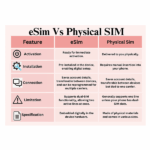
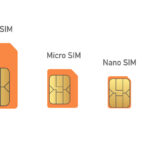
Tell us: carrier name, APN setting, SIM type (physical/eSIM), deployment environment (vehicle/DIN rail/outdoor), and any recent changes to configuration or firmware.
Note Your Firmware Version
Check System → About in the web UI for exact firmware version. Many issues are resolved with a firmware update — knowing your current version helps us respond immediately.
Not sure how to configure your E-Lins router?
Check our Wiki first — most setup questions are answered in detail with step-by-step guides and screenshots.