
































5G Router with 5 Ethernet Ports: Replacing the Edge Switch in Small Industrial LANs
A cabinet with a PLC, an NVR, a wireless access point, and an occasional maintenance laptop is a four-device LAN — and four devices is one more than most compact industrial routers can connect directly. The usual fix is a small unmanaged switch wedged in beside the router, with its own power feed, its own mounting bracket, and its own place on the spares list. The H900pf’s five built-in Ethernet ports — three Gigabit, two Fast Ethernet — are enough to make that switch unnecessary for a specific and common class of site.
What Is a 5G Router with 5 Ethernet Ports — and When Does It Replace a Switch?
A 5G router with 5 Ethernet ports is an industrial cellular gateway that presents enough physical LAN connections — typically a mix of Gigabit and Fast Ethernet ports — to connect several local devices directly, without an intermediate switch. Most compact industrial routers ship with one or two Ethernet ports: one for WAN (if a fixed-line backup is used) and one for LAN. That is sufficient for a site with a single connected device. It is not sufficient for a cabinet with a PLC, a camera or NVR, an access point, and a spare port for diagnostics — which is a more common cabinet profile than the two-port assumption suggests.
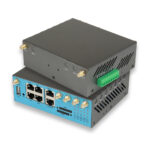
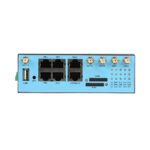
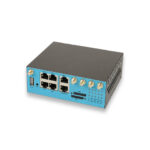
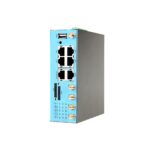
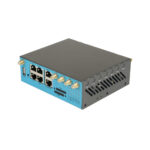
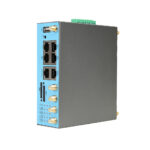
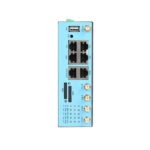
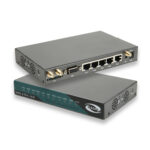
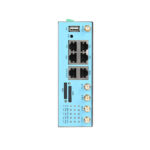
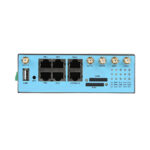
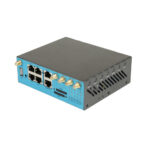
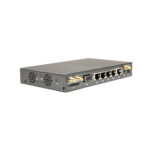
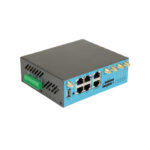
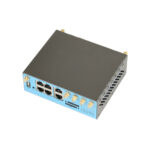
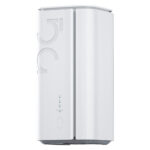
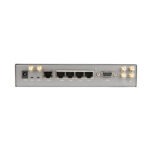
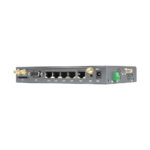
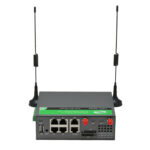
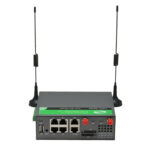
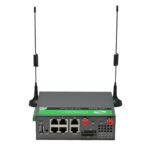
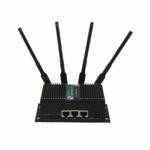
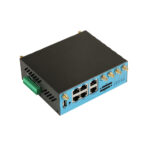
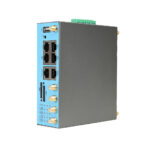
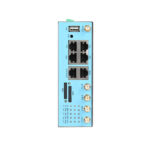
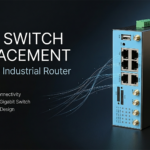
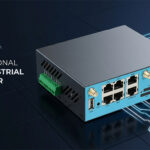
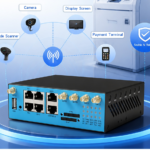
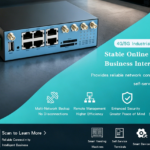
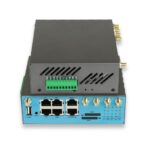
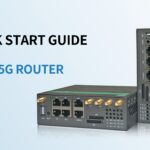
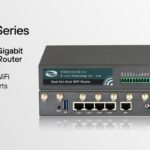
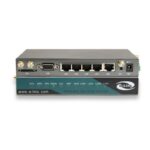
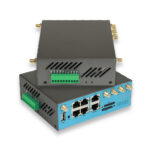
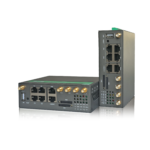
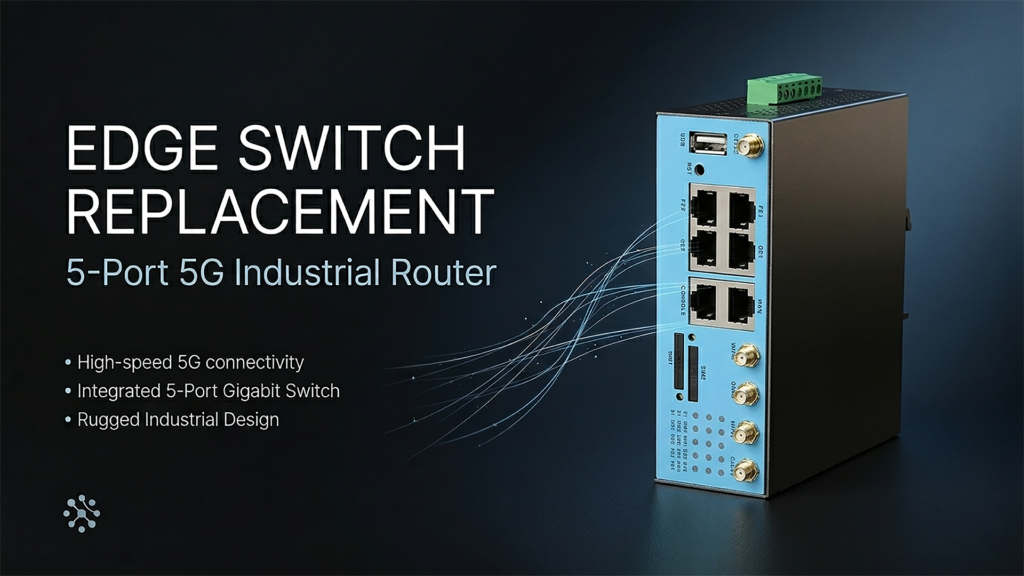
The H900pf addresses this directly with five Ethernet ports — three Gigabit and two Fast Ethernet — alongside its 5G/4G/3G dual-SIM cellular WAN, Wi-Fi 5/6, USB, and a console port. The practical effect is that a cabinet which would otherwise need “router plus small switch” can in many cases be built as “router” — one device, one power connection, one management interface, one item on the spares list.
This is not a universal replacement for switches. A site with eight or twelve connected devices still needs a managed switch regardless of how many ports the router has. But the three-to-five device cabinet — which describes a large proportion of small automation cells, retail back-rooms, branch offices, and remote monitoring stations — is exactly the range where an industrial router with built-in 5-port switch changes the bill of materials without changing the network design.
Simple framing: if the cabinet has one or two local devices, port count was never the constraint. If it has three to five, a router with five Ethernet ports may cover the entire LAN. If it has more than five, a switch is still part of the design — but the router can still be one of the five connected devices to that switch, rather than requiring its own separate switch port allocation plus a second switch for the rest.
Site Readiness Checklist Before Specifying a Multi-Port Router
Before deciding whether a five-port router replaces a switch at a given site, confirm the following. The answers determine whether the consolidation is straightforward or whether a switch remains part of the design regardless of router port count.
- How many wired Ethernet devices need to connect at this site today, and how many are realistically expected within the device’s service life?
- Do any connected devices require Gigabit throughput specifically — NVRs with multiple HD streams, industrial PCs with large file transfers — or is Fast Ethernet (100 Mbps) adequate for all of them?
- Is VLAN segmentation required between connected devices — for example, isolating a guest/maintenance laptop port from the PLC network?
- Does any connected device require PoE, and if so, does the router’s PoE Out budget cover it alongside its other power draws?
- Is a console port needed for local CLI access during commissioning or troubleshooting, separate from the data-carrying Ethernet ports?
- What is the cellular carrier coverage and SIM plan situation at the site — confirm dual SIM requirements independently of the Ethernet port consolidation decision.
- What is the cabinet’s available DIN-rail space and power budget — does removing a switch from the design free up space or power capacity needed elsewhere?
Why Port Count Is an Underrated Cabinet Design Variable
Industrial router selection conversations tend to focus on cellular generation, VPN protocols, and environmental ratings — all genuinely important, and all the subject of other articles in this series. Port count is comparatively rarely discussed, partly because it seems like the most straightforward spec to satisfy: “the router has Ethernet, the switch has Ethernet, connect them.” But that framing treats the switch as free, when in a small cabinet it is not.
A switch in a DIN-rail cabinet occupies physical space that could otherwise hold a terminal block, a circuit breaker, or simply margin for the next addition to the panel. It requires its own power feed — either a tap from the same DC bus as the router, or its own PoE injector if it is a PoE switch, each adding a wiring run and a termination point. It is a separate item on the bill of materials, with its own part number, its own potential failure mode, and its own entry in whatever asset management system tracks the deployed fleet. None of these costs are large individually. Across fifty or a hundred sites, they are not negligible.
The consolidation argument is strongest for cabinets in the three-to-five connected-device range — common in small automation cells (PLC + HMI + camera), retail back-rooms (POS terminal + camera + Wi-Fi AP), and remote monitoring stations (RTU + camera + sensor interface + spare port). Below three devices, port count was rarely the binding constraint anyway. Above five, a switch remains necessary regardless, though the router can still occupy one of the switch’s ports rather than needing its own dedicated switch.
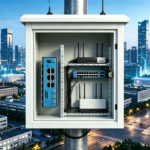
For a representative small automation cabinet — one PLC, one IP camera, one Wi-Fi access point, and one spare port reserved for maintenance laptops — the conventional architecture using a two-port router plus an unmanaged 5-port switch requires: one router, one switch, one switch power adapter (or PoE injector if the switch is PoE), one DIN-rail mounting position for the switch, and one additional cable run between router and switch. The five-port router architecture requires: one router, with all four devices connected directly. The component count drops from effectively three items (router, switch, switch PSU) to one. Across a 40-cabinet rollout, that is 80 fewer items to procure, stock, and eventually replace — switches and PSUs are not exotic components, but they are still failure points, and removing 80 of them from a fleet’s spare-parts inventory is a measurable simplification.
A retail chain standardising connectivity across 60 small-format stores was specifying a cabinet for each location containing a POS terminal, a back-office camera, and a staff Wi-Fi access point — three devices, plus a spare port the IT team wanted available for periodic diagnostic laptop connections. Their initial design used a two-port 4G router with a four-port unmanaged switch, which had been the standard for the previous hardware generation. When evaluating the 5G upgrade, we proposed the H900pf as a direct replacement for both items: its three Gigabit and two Fast Ethernet ports covered all four connection points without a switch. The retail chain’s facilities team estimated the change removed approximately 15 minutes of installation time per store — primarily the switch mounting and the additional power tap — and reduced their per-store hardware spares list from three SKUs to one. At 60 stores, that is 15 hours of aggregate installation time and a meaningfully simpler spares inventory for their field service contractor to manage.
Important: consolidating a switch into the router only simplifies the cabinet if the router’s port speeds match what the connected devices need. A multi-camera NVR with several simultaneous HD streams may need Gigabit on every connected port. If the H900pf’s Fast Ethernet ports (100 Mbps) are allocated to devices that need Gigabit, the consolidation creates a bandwidth bottleneck that a correctly-speced switch would not have. Map each connected device’s bandwidth requirement to a specific port before finalising the design — Gigabit ports for cameras/NVRs and high-throughput devices, Fast Ethernet for low-bandwidth devices like sensors, access points used for management traffic, or occasional-use diagnostic ports.
Key Features for Multi-Port Industrial 5G Router Selection
Beyond the headline port count, several specifications determine whether a multi-port router genuinely functions as a small-LAN consolidation device or merely has more connectors without the underlying capability to use them effectively.
1. Mixed Gigabit and Fast Ethernet Port Allocation
The H900pf’s three Gigabit and two Fast Ethernet ports are not interchangeable for bandwidth-sensitive devices. Gigabit ports should be allocated to NVRs, industrial PCs, or any device with sustained high-throughput requirements. Fast Ethernet ports are appropriate for sensors, low-frame-rate cameras, access points carrying primarily management traffic, and occasional-use diagnostic connections. Planning this allocation during cabinet design — rather than connecting devices to whichever port happens to be free during installation — avoids discovering a bandwidth constraint after deployment.
2. PoE In and PoE Out for Powered Devices
Where one or more connected devices are PoE-capable — typically an IP camera or access point — the H900pf’s PoE Out capability can power them directly from its Ethernet ports, removing the separate power adapter each device would otherwise need. PoE In allows the router itself to be powered from an upstream PoE source where that simplifies the cabinet’s own power wiring. As with the port bandwidth allocation, the total PoE power budget across all PoE Out ports is shared — calculate aggregate device wattage before finalising which devices connect to which ports.
3. Console Port for Local CLI Access
The console port is separate from the router’s data-carrying Ethernet ports and provides direct serial access to the device’s command-line interface — useful during initial commissioning, for firmware recovery, or as a guaranteed access method when network-based management (SSH, cloud NMS) is unavailable because the network itself is the thing being debugged. For a five-port router intended to be the only active network device in a cabinet, having a console port that does not depend on the network being functional is a meaningful diagnostic advantage.
“When a router is the only networking device in the cabinet, ‘connect to it over the network to see what’s wrong with the network’ is circular. The console port breaks that loop — a technician with a laptop and a serial cable can get into the device regardless of what state the cellular link, the VPN, or the LAN is in. We’ve had cases where a misconfigured VLAN on one of the five ports took down management access to the router entirely, and the console port was the only way back in without a factory reset. It’s a small feature that matters disproportionately on the rare day it’s needed.”
— E-Lins application engineering team4. Dual SIM and eSIM for Carrier Flexibility
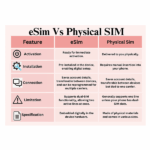
The Ethernet port consolidation is independent of the cellular configuration, but dual SIM and eSIM remain relevant to the same small-cabinet design goal: reducing the number of separate decisions and components a deployment requires. Dual SIM provides carrier redundancy without a second device; eSIM allows carrier profiles to be provisioned or changed remotely across a fleet of consolidated cabinets without a physical SIM-swap visit to each site.
5. Wi-Fi 5/6 with Optional Tri-Band Configuration
For cabinets where one of the “five devices” would otherwise be a separate wireless access point, the H900pf’s built-in Wi-Fi — available in Wi-Fi 5/6 configurations with optional tri-band — can absorb that function directly. This is most relevant where the wireless requirement is modest (staff devices, a handful of IoT sensors) rather than dense AGV-fleet-scale device populations, which are better served by a dedicated Wi-Fi 6 router variant optimised for that density, as covered separately in this series.
6. VPN Suite Including WireGuard for Multi-Device LAN Security
When a router becomes the single point of connectivity for several local devices, its VPN capability effectively becomes the security boundary for all of them simultaneously. The H900pf’s VPN suite — including OpenVPN, DMVPN, and WireGuard alongside the standard IPsec/L2TP/PPTP/GRE options — allows the consolidated LAN to be tunnelled to a central management network as a unit, with firewall rules applied at the router to control which of the locally connected devices are reachable from outside.
7. Wide-Voltage DC Input and Dual Power Failover
Removing a switch from the cabinet also removes that switch’s separate power requirement — but the router’s own power input then needs to be adequate for its role as the sole active networking device, potentially including PoE Out loads to connected cameras or access points. The H900pf’s 5–40 V DC (60 V option) wide-voltage input with dual power inputs and automatic failover provides margin for this combined load, and the failover capability ensures the now-single point of LAN connectivity does not become a single point of power failure as well.
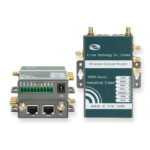
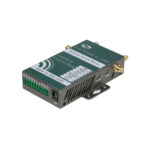
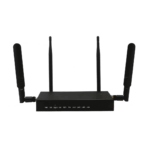
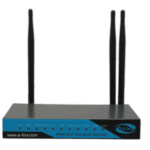
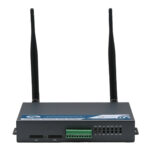
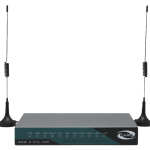
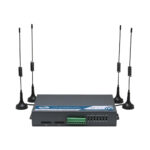
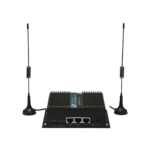
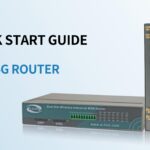
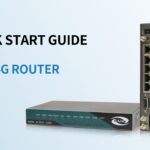
E-Lins H900pf: Industrial 5G Router with 5 Ethernet Ports, Console, and USB
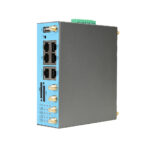
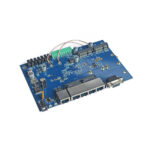
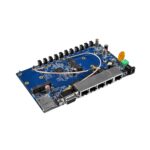
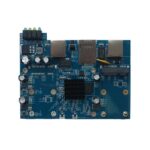
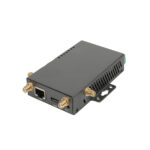
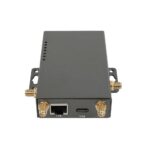
The H900pf is built on E-Lins’ H900 series body and is configured specifically around interface density: five Ethernet ports, a console port, USB, dual SIM with eSIM, and Wi-Fi 5/6 in a single industrial-grade unit. Where other H900-series variants emphasise PoE flexibility, RedCap bandwidth tiers, or Wi-Fi 6 density handling, the H900pf’s distinguishing combination is the breadth of physical interfaces available for direct device connection.
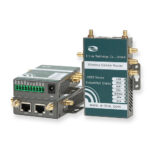
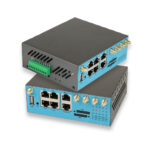
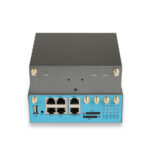
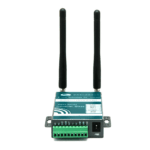
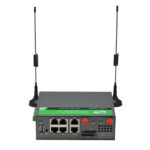
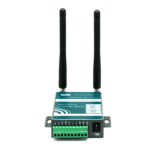
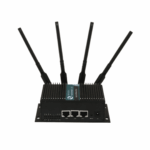
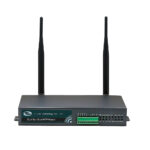
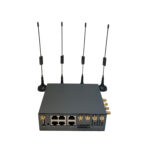
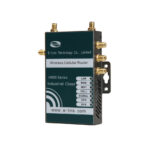
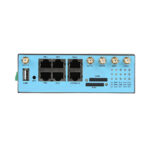
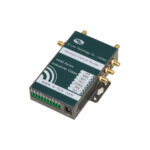
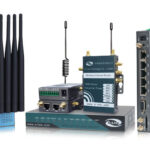
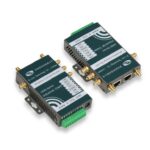
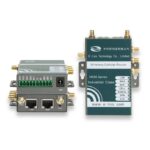
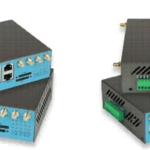
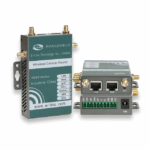
E-Lins H900pf Dual SIM IoT 5G Router with 5 Ethernet Ports, Console & USB
Industrial 5G/4G/3G router with dual SIM, eSIM, 3× Gigabit + 2× Fast Ethernet ports, console port, USB, Wi-Fi 5/6 (dual-band or tri-band, MU-MIMO), PoE In & Out, and full VPN suite including WireGuard and DMVPN. EN 18031 compliant, OEM/ODM supported.
How the Five Ports Map to a Typical Cabinet
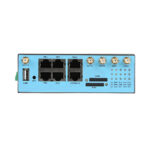
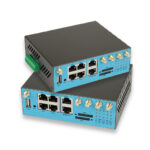
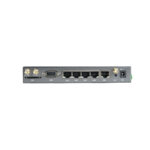
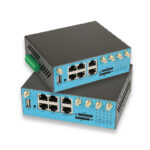
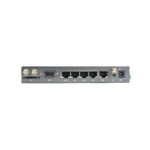
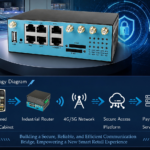
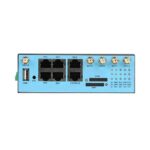
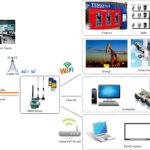
In practice, the five Ethernet ports on the E-Lins H900pf are rarely used as five identical generic connections — they map naturally onto the roles a small cabinet’s devices already have. A Gigabit port to an NVR or industrial PC for the highest-throughput connection. A second Gigabit port to a managed device that may need firmware updates or larger data transfers. A third Gigabit port held in reserve for future expansion or as a high-speed diagnostic connection. The two Fast Ethernet ports cover lower-bandwidth fixed devices — a sensor interface, a basic access point, an alarm panel — where 100 Mbps represents no practical constraint.
The console port operates independently of this allocation entirely, which is the point — it is not consumed by device connections and remains available for its diagnostic purpose regardless of how the five data ports are configured or how a misconfiguration on any of them might affect network-based access.
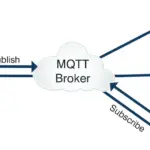
The inclusion of MQTT alongside the traditional management protocols (SNMP, TR-069, NMS) is also relevant to multi-device cabinets specifically: where the connected devices themselves generate telemetry that needs to reach a cloud platform, the H900pf can act as both the LAN consolidation point and the MQTT publisher for that telemetry, rather than requiring a separate edge gateway to perform protocol translation between the local devices and the cloud messaging layer.
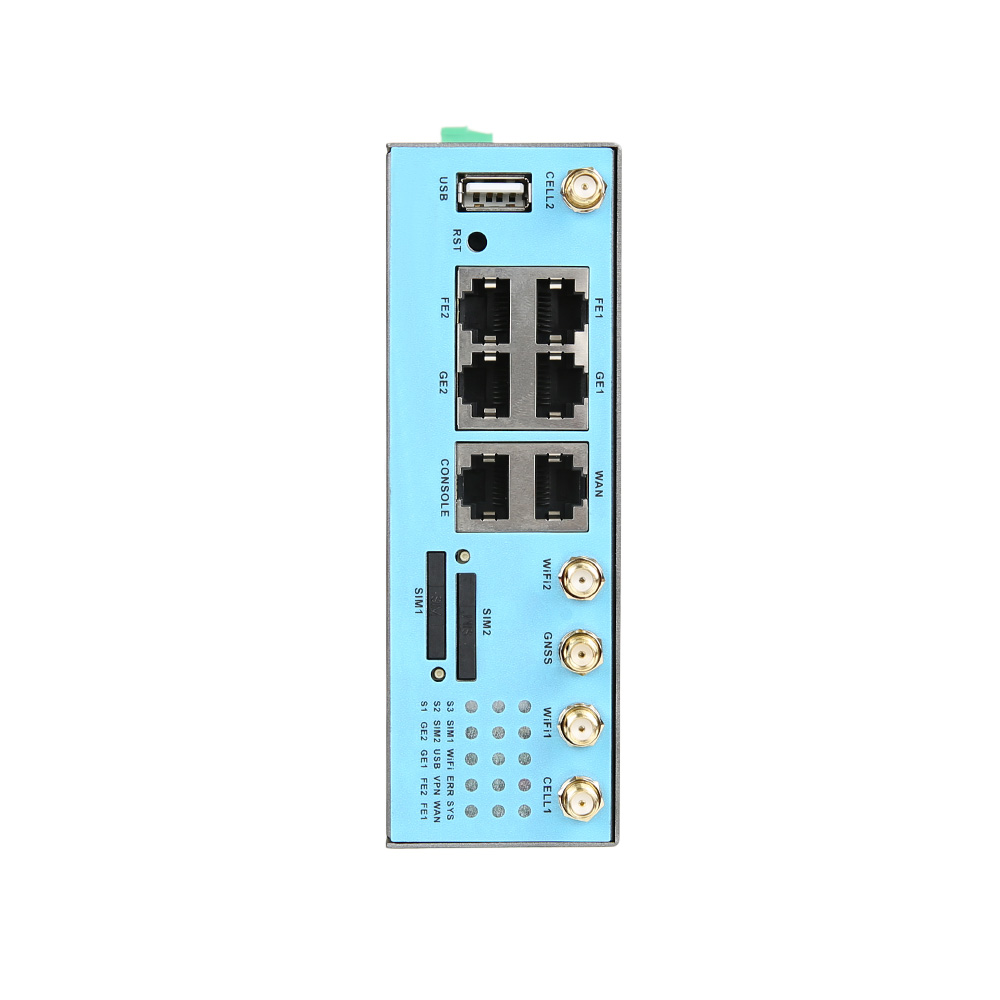
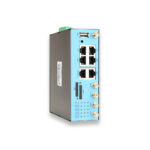
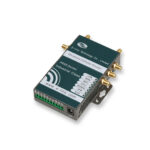
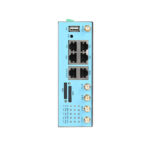
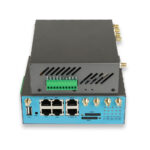
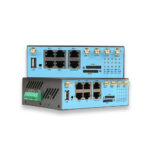
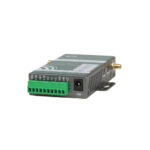
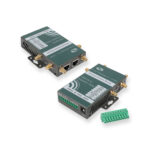
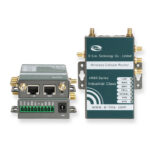
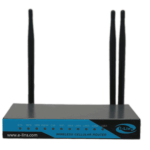
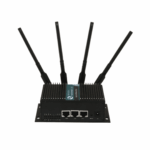
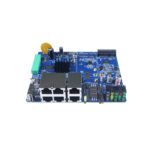
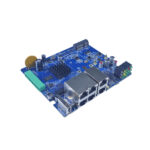
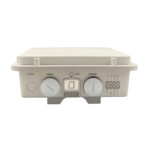
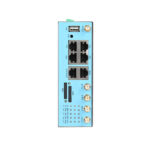
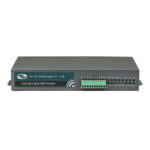
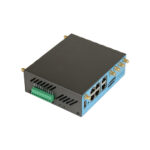
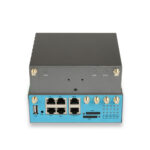
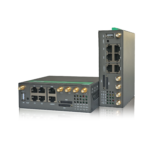
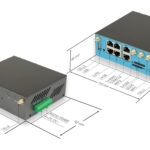
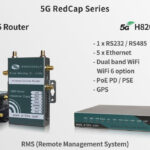
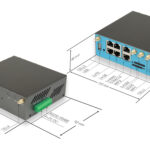
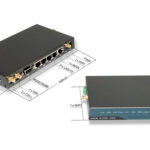
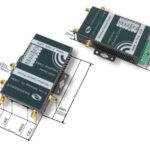
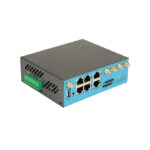
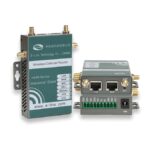
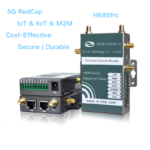
E-Lins H900pf — 3× Gigabit + 2× Fast Ethernet, console port, USB, dual SIM + eSIM, Wi-Fi 5/6, PoE In & Out, DIN-rail mounting
Which Project Structure Suits the H900pf?
The H900pf’s port density is most valuable at sites with three to five local Ethernet devices where a separate switch would otherwise be the only reason for an additional component in the cabinet. Sites with fewer devices gain less from the port count specifically; sites with more devices still need a switch, though the H900pf can be one of the switch’s connected devices.
Small Automation Cells
- PLC, HMI, inspection camera, and diagnostic port — four devices.
- Gigabit ports for camera/NVR, Fast Ethernet for PLC/HMI.
- Console port for commissioning without network dependency.
- VPN tunnels the cell’s LAN to central SCADA/MES.
- No separate switch — one DIN-rail device for the cabinet.
Retail and Branch Back-Office
- POS terminal, security camera, staff Wi-Fi AP, diagnostic port.
- Built-in Wi-Fi may absorb the AP function directly.
- Dual SIM + eSIM for multi-region carrier deployment.
- PoE Out powers the camera without a separate adapter.
- Single SKU simplifies multi-store hardware standardisation.
Remote Monitoring Stations
- RTU, camera, environmental sensor interface, spare port.
- MQTT publishes sensor telemetry directly to cloud platform.
- Wide-voltage input for solar/battery power systems.
- Console port for field technician access at unattended sites.
- Dual power input with failover for unattended reliability.
Branch Networking Upgrades
- Replacing aging 4G router + switch pairs at scale.
- 5G/dual-SIM upgrade bundled with port consolidation.
- WireGuard VPN for modern site-to-site connectivity.
- EN 18031 compliance for EU-wide branch rollouts.
- Reduced per-site spares inventory across the fleet.
Comparison: 5-Port Router vs Router + Separate Switch
The table below summarises when consolidating to a single five-port router makes sense versus when a separate switch remains the better architecture.
| Factor | H900pf (5 Ethernet ports, single device) | 2-Port Router + Separate Switch |
|---|---|---|
| Connected device capacity | Up to 5 wired devices directly | Limited by switch port count (typically 4–8) |
| Cabinet component count | 1 device | 2+ devices (router + switch + possible separate PSU) |
| Power connections required | 1 (router only) | 2 (router + switch, unless switch is router-PoE-powered) |
| Port speed flexibility | Fixed mix: 3× GE + 2× FE | Switch can be specified with any port speed mix needed |
| Console/CLI access | Dedicated console port included | Depends on router model; switch may lack console |
| Best fit | 3–5 device cabinets where the fixed port mix matches device needs | 6+ devices, or where port speed requirements don’t match H900pf’s fixed allocation |
| Main risk | Bandwidth mismatch if high-throughput devices land on Fast Ethernet ports | Additional component, power tap, and spares-list item |
Common Mistakes When Consolidating LAN Ports into a Router
Connecting High-Bandwidth Devices to Fast Ethernet Ports by Accident
During installation, it is easy to connect whichever cable is closest to whichever port is closest, without reference to the port speed plan made during design — if such a plan was made at all. An NVR connected to one of the H900pf’s Fast Ethernet ports instead of a Gigabit port will be capped at 100 Mbps regardless of the camera streams’ actual bitrate requirements. Label ports during installation according to the design-stage allocation, and verify the physical connections match the plan during commissioning, not just during design.
Treating the Five Ports as Permanently Fixed
A cabinet designed for exactly the current device count, with all five ports allocated and zero spare capacity, has no room for the next addition — a second camera, a future sensor, a temporary diagnostic connection during a fault investigation. Where possible, reserve at least one port as spare capacity even in a fully-specified initial design. The cost of an unused port is zero; the cost of needing a sixth port six months after installation, with no spare and a switch now required after all, is the entire consolidation argument undone.
Underestimating Combined PoE Out Load with Router Power Consumption
When the router both consolidates the LAN and powers connected devices via PoE Out, its total power draw includes its own operation plus every PoE Out device’s consumption. A cabinet’s existing power supply, sized for “router plus switch plus separate camera power adapters,” may be oversized for the consolidated architecture — or, if the original sizing assumed the router alone, undersized once PoE Out loads are added. Recalculate the cabinet’s total power budget for the consolidated architecture rather than assuming the previous sizing transfers directly.
Skipping VLAN Planning Because “It’s All One Router Now”
Consolidating five devices onto one router’s ports does not remove the need for network segmentation if it was needed before. A maintenance laptop port and a PLC network port connecting to the same physical device still benefit from VLAN separation if isolating diagnostic access from production traffic was part of the original design intent. Configure VLANs on the consolidated router’s ports as part of commissioning — the consolidation simplifies the physical cabinet, not the logical network design.
Not Testing the Console Port During Commissioning
The console port’s value is realised specifically during failure scenarios — which is exactly when there is no time to discover that nobody has the right serial cable, the correct terminal emulator settings, or knowledge of the console’s default credentials. Testing console access during initial commissioning, while the site is easy to reach and nothing is actually broken, confirms the fallback access method works before it is needed under pressure.
Application Scenarios for Multi-Port Industrial 5G Routers
The H900pf’s port density is most relevant in deployments where several distinct devices share a cabinet and a consolidated single-device architecture reduces installation complexity and spares inventory across many sites.

Small Automation Cells
PLC, HMI, inspection camera, and a spare diagnostic port — a typical four-device cell consolidated onto one router’s Ethernet ports, with VPN tunnelling the cell back to central SCADA.

Retail Back-Office Connectivity
POS terminal, back-office camera, and staff Wi-Fi access point connected directly, with PoE Out powering the camera and dual SIM providing carrier redundancy for payment processing uptime.

Remote Monitoring Stations
RTU, camera, and sensor interface on three ports, with MQTT publishing telemetry directly to a cloud platform and the console port providing field-technician access at unattended sites.

Bank and Financial Branch Offices
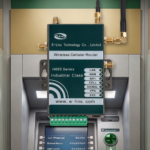
ATM monitoring, branch security camera, and staff network access consolidated onto one router with financial-grade VPN encryption and EN 18031 compliance for EU branch networks.

Vending and Kiosk Networks
Payment module, camera, and diagnostic interface on a single router across a distributed vending fleet, with eSIM enabling remote carrier provisioning without site visits.

Branch Office Networking Upgrades
Replacing aging two-port 4G router and switch pairs with a single 5G five-port unit during fleet-wide modernisation, reducing per-site spares while adding WireGuard and dual SIM.
A regional bank was replacing 4G routers across 28 small branch offices, each of which had a separate 4-port unmanaged switch connecting an ATM monitoring interface, a branch security camera, and a staff network drop. The original 4G routers had only a single LAN port, so the switch had been a fixed part of every branch’s cabinet since installation. When the bank’s IT team specified the 5G H900pf for the upgrade, the three connected devices fit directly onto the router’s Gigabit ports, with the two Fast Ethernet ports held as spares for future additions. The switch and its separate power adapter were removed from all 28 branches during the upgrade. The bank’s regional facilities coordinator noted that the change also simplified their annual hardware audit — each branch’s connectivity cabinet now contained a single asset-tagged device instead of two, which reduced both the audit checklist length and the number of items requiring separate warranty tracking.
Extended Reading
E-Lins H900pf Product Page — Full specification, images, and ordering information for the industrial 5G router with 5 Ethernet ports, console, and USB.
IoT 5G Router Category — Browse the complete E-Lins 5G router lineup across compact, standard, and feature-rich configurations.
H900f Dual SIM 5G Router with Active PoE — For sites prioritising Active PoE Out to multiple downstream cameras over port count.
H820frc 5G RedCap Router with PoE In/Out — For sites where RedCap bandwidth and serial/DI-DO integration are the priority.
H685f Wi-Fi 6 Mini 5G Router — For AGV and high-density wireless deployments where compact size and Wi-Fi 6 are the priority over wired port count.
Project Inquiry — Share your cabinet’s device count, port speed requirements, PoE load, and carrier region for a tailored recommendation.
FAQ
How many devices can realistically connect to the H900pf without a separate switch?
The H900pf has five Ethernet ports — three Gigabit and two Fast Ethernet — so up to five wired devices can connect directly. In practice, one port is often reserved as spare capacity for future additions or diagnostic use, making four actively-used device connections a more conservative planning figure. Sites with six or more devices will need a switch regardless of the router’s port count, though the router can still be one of the switch’s connected devices rather than requiring its own separate switch.
What is the difference between the H900pf’s Gigabit and Fast Ethernet ports?
The three Gigabit ports support up to 1000 Mbps and should be allocated to devices with higher throughput requirements — NVRs with multiple camera streams, industrial PCs, or any device performing large data transfers. The two Fast Ethernet ports support up to 100 Mbps, which is adequate for sensors, basic access points, low-frame-rate cameras, and occasional-use diagnostic connections. Planning which devices connect to which port type during cabinet design avoids a bandwidth bottleneck on a device that needed Gigabit but was connected to a Fast Ethernet port.
What is the console port used for, and how is it different from the Ethernet ports?
The console port provides direct serial CLI access to the router’s operating system, independent of its network connectivity. It is typically used during initial commissioning, for firmware recovery, or as a guaranteed access method when the router’s network-based management (SSH, web UI, cloud NMS) is unreachable — for example, if a misconfiguration on one of the Ethernet ports has affected network access entirely. It does not carry regular data traffic and is not counted among the five Ethernet ports.
Can the H900pf power connected cameras or access points via PoE?
Yes, the H900pf supports PoE Out, which can deliver power to PoE-capable devices connected to its Ethernet ports — typically IP cameras or wireless access points — eliminating the need for separate power adapters at each device. The total PoE Out power budget is shared across active PoE ports, so the aggregate wattage of all PoE-powered devices should be calculated against the router’s PoE budget specification before finalising the design. PoE In is also supported, allowing the router itself to be powered from an upstream PoE source if that simplifies the cabinet’s power wiring.
Does consolidating to a 5-port router save money compared to a router plus switch?
The savings depend on the deployment scale and the specific switch that would otherwise be required. For a single site, the savings may be modest — a basic unmanaged switch is not expensive. At fleet scale (tens or hundreds of sites), the savings compound: fewer SKUs to procure and stock, fewer power connections and associated wiring per site, reduced installation time per cabinet, and a simpler spares inventory. The case studies in this article describe deployments where the time savings (15 minutes to several hours per site, depending on complexity) and inventory simplification were the primary benefits, with direct hardware cost savings being a secondary factor.
What is MQTT and why does it matter on a router with multiple connected devices?
MQTT is a lightweight publish-subscribe messaging protocol widely used for IoT telemetry, allowing devices to publish data to a broker that cloud platforms (AWS IoT, Azure IoT Hub, and others) can subscribe to. On the H900pf, MQTT support means the router itself can publish data — either its own status or data gathered from connected devices via its other interfaces — directly to a cloud MQTT broker, without requiring a separate edge gateway to perform protocol translation. For a cabinet where the router is already consolidating multiple devices’ connectivity, having it also handle the cloud messaging layer reduces the total device count further.
Does the H900pf support VLANs across its five Ethernet ports?
VLAN support is a standard feature on E-Lins industrial routers in this class, allowing logical network segmentation across physical ports — for example, isolating a maintenance/diagnostic port from a production PLC network, even though both connect to the same physical router. Confirm the specific VLAN configuration options and any port-to-VLAN mapping limitations with E-Lins for your firmware version and intended configuration, particularly if combining VLANs with PoE Out on the same ports.
Is the H900pf suitable for sites that currently have more than 5 connected devices?
Not as a complete switch replacement — five ports is five ports. However, the H900pf can still be part of the architecture for larger device counts: it handles the cellular WAN, VPN, and management functions, with one of its five ports connecting to a switch that fans out to the remaining devices. This still reduces switch port requirements compared to a two-port router (which would need the switch to handle all local devices plus the router’s own LAN connection), and the router’s other ports remain available for direct high-priority connections — an NVR on a dedicated Gigabit port, for example, separate from the switched network serving lower-priority devices.
How does dual SIM and eSIM relate to the port consolidation story?
Dual SIM and eSIM address a different part of the same “reduce the number of separate things a deployment depends on” goal. Dual SIM provides carrier redundancy without a second cellular device; eSIM allows carrier profiles to be provisioned or changed remotely across a fleet without a physical SIM-swap site visit. Neither is directly related to Ethernet port count, but both contribute to the same underlying objective the port consolidation addresses: fewer components, fewer site visits, and a simpler fleet to manage at scale.
What happens if a sixth device needs to be added after the cabinet is already built around 5 ports?
If all five ports are already allocated to active devices, adding a sixth device requires either freeing up a port (moving a lower-priority device to a small switch connected to one of the five ports) or adding a small switch to one port to serve the new device alongside whatever was already there. This is why reserving at least one port as spare capacity during initial design is recommended — it allows the sixth device to connect directly without any restructuring, preserving the single-device cabinet architecture for one device longer than a fully-allocated five-port design would.
Conclusion: One Device for the Cabinets That Don’t Need Two
The case for a 5G router with 5 Ethernet ports is narrow but real: for the specific class of cabinet containing three to five wired devices — a profile that describes a large share of small automation cells, retail back-offices, branch networks, and remote monitoring stations — a router with enough ports removes a switch, its power tap, and its place on the spares list from the design entirely. It does not replace switches generally, and a six-or-more-device site still needs one. But for the cabinets where it applies, the simplification is consistent and compounds across a fleet.
The H900pf adds a console port and USB to the five-port Ethernet configuration, along with dual SIM, eSIM, Wi-Fi 5/6, PoE In/Out, MQTT, and the VPN suite expected of an industrial 5G router. The combination addresses the consolidation goal directly — fewer devices, fewer power connections, fewer items in the spares inventory — while the console port provides the access guarantee that matters specifically because the router has become the cabinet’s single point of network presence.
Before specifying the H900pf for a port-consolidation project, confirm the following:
- Map each connected device’s bandwidth requirement to a specific port — Gigabit for high-throughput devices, Fast Ethernet for sensors and low-bandwidth connections — and verify the H900pf’s fixed 3+2 port mix matches that map.
- Recalculate the cabinet’s total power budget for the consolidated architecture, including any PoE Out loads, rather than reusing the sizing from a router-plus-switch design.
- Test console port access during commissioning, while the site is easy to reach, so the fallback access method is confirmed working before it is needed during a fault.
Designing a Cabinet with Several Connected Devices?
Tell E-Lins your device count, required port speeds, PoE load, and carrier region. We will confirm whether the H900pf’s five-port configuration covers your cabinet or recommend the right alternative.
Contact Us